
01 / Start
Run without installation
Geneasophia Home is portable. Extract the archive into a folder, keeping the complete directory structure. Use a computer disk or USB drive and allow space for photographs and scans. Extract separately downloaded place lists and move all .db files to "../slowniki/miejscowosci/". Then launch the program.
Before your first launch
- 01 Do not move a single file without the accompanying folders.
- 02 Back up your data before importing or making major changes.
- 03 Treat file and folder names as integral parts of the project.
02 / Data
Start with facts, not embellishments
Enter people, dates and places as documented in your sources. Mark uncertain information in a note rather than presenting it as fact. This keeps your database reliable for years to come.
Person
First name, surname, spelling variants, birth and death dates, and places.
Source
A document, photograph, register or oral account supporting a particular fact.
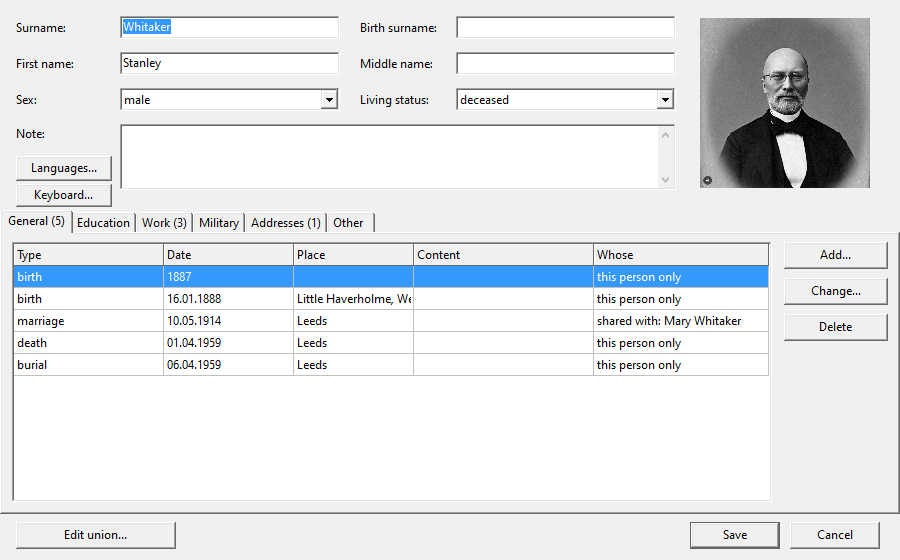
Person editor: enter information about a person, organised by category.
03 / Relationships
Connect generations and marriages
Start with the person you know best. Add parents, spouses and children, then move to other branches. You do not need to fill in every field at once.
- A
Add a starting person
Choose the family member who will be the starting point of your chart.
- B
Add a relationship
Specify parents, a spouse or descendants. Each relationship can lead to another branch.
- C
Check accuracy
Check the accuracy and clarity of your information before creating a file to share.
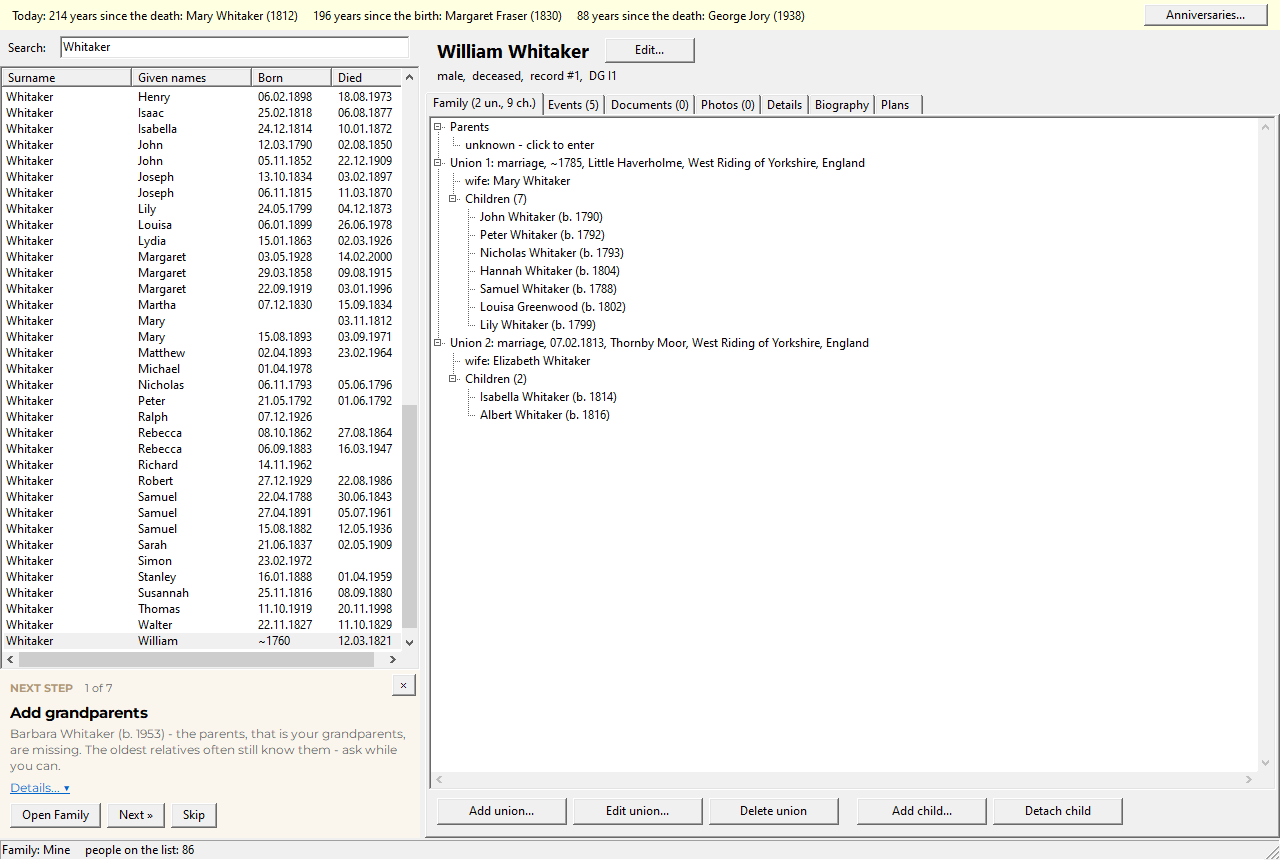
Main screen: select people to edit and add their relationships and parents.
04 / Charts
Choose the right format
Home creates HTML charts for viewing on screen and PDFs for printing and archiving. Use a complete diagram to summarise your project or a single branch to discuss with relatives. Fan charts and list layouts are also available.
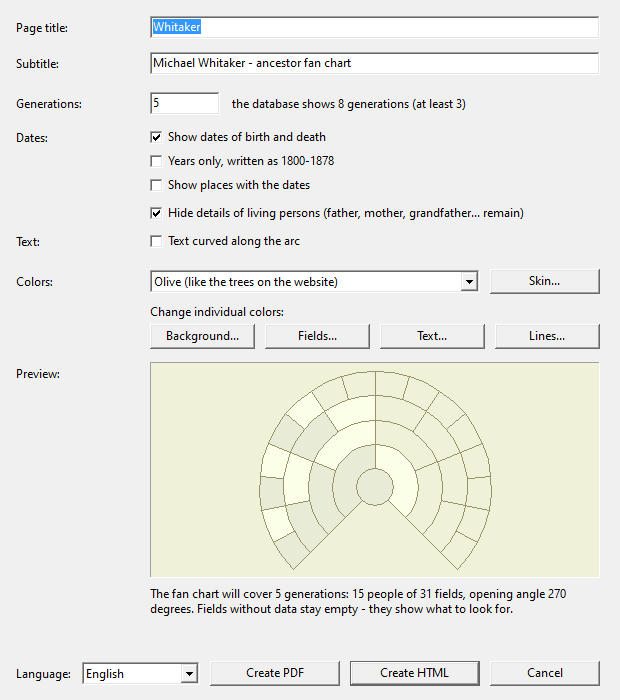
Fan chart options: choose how your fan chart will look.
05 / Statistics
Your family in numbers
Statistics reveal patterns beyond a single tree view. Explore people counts, generations, locations and recurring surnames.
01
generations
02
places
03
surnames
04
dates
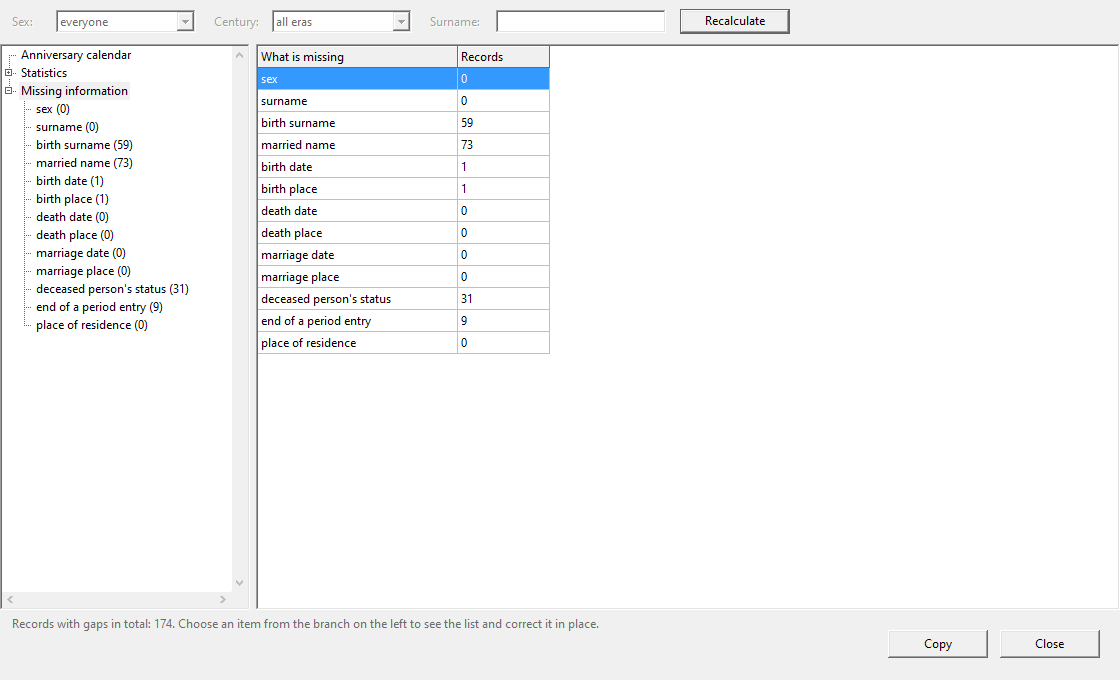
Statistics screen: find missing information, upcoming anniversaries and many other statistics.
06 / Golden rules
Small habits, peace of mind
- Use a consistent date format throughout the project.
- Do not delete uncertain information. Mark it and add a comment.
- Work on a copy and keep finished charts in a separate folder.
- Check exported HTML files on another computer periodically.
- Read the full HTML manual included with the program.
Support Geneasophia development
Home is free. Voluntary contributions support development.
>> Buy the author a coffeeDownloads and languages
Choose a language edition on the home page. Extract the ZIP before running the program. Use the .sha256 file to verify the downloaded archive.
Safe storage
Before replacing program files, keep an independent backup of your data and attachments. Never overwrite your only research copy. Before publishing charts, check that you are not disclosing living people's information without consent.